

Email Productivity: Organize your Gmail Labels as Tabs

👋 Hey there, I've been navigating the cloud world for over 8 years. I love helping businesses harness the power of digital transformation, making sure they see real results. I'm all about finding practical solutions that work, whether it's tackling a tricky tech challenge or figuring out the best way to meet a customer's needs. My toolbox is packed with skills: Linux, DevOps, Cloud, Security, AI, Python, Go and more (Kubernetes and AWS are my playground!). When I'm not geeking out over tech stuff, you'll find me learning new things, sharing what he knows, or helping others level up their skills.

Hey there!
If you hate cluttered Gmail inbox, and use Gmail labels to organize them. I have good news for you.
Gmail Labels as Tabs is an open-source email productivity extension for Google Chrome that customizes Gmail interface by adding labels as tabs.
Features
★ Organize your labels as Gmail tabs
★ Drag & drop to re-arrange tabs
★ Shows unread messages badge
★ Supports dark mode theme
★ Synchronizes extension settings with your Gmail account
Quick Demo
Screenshots
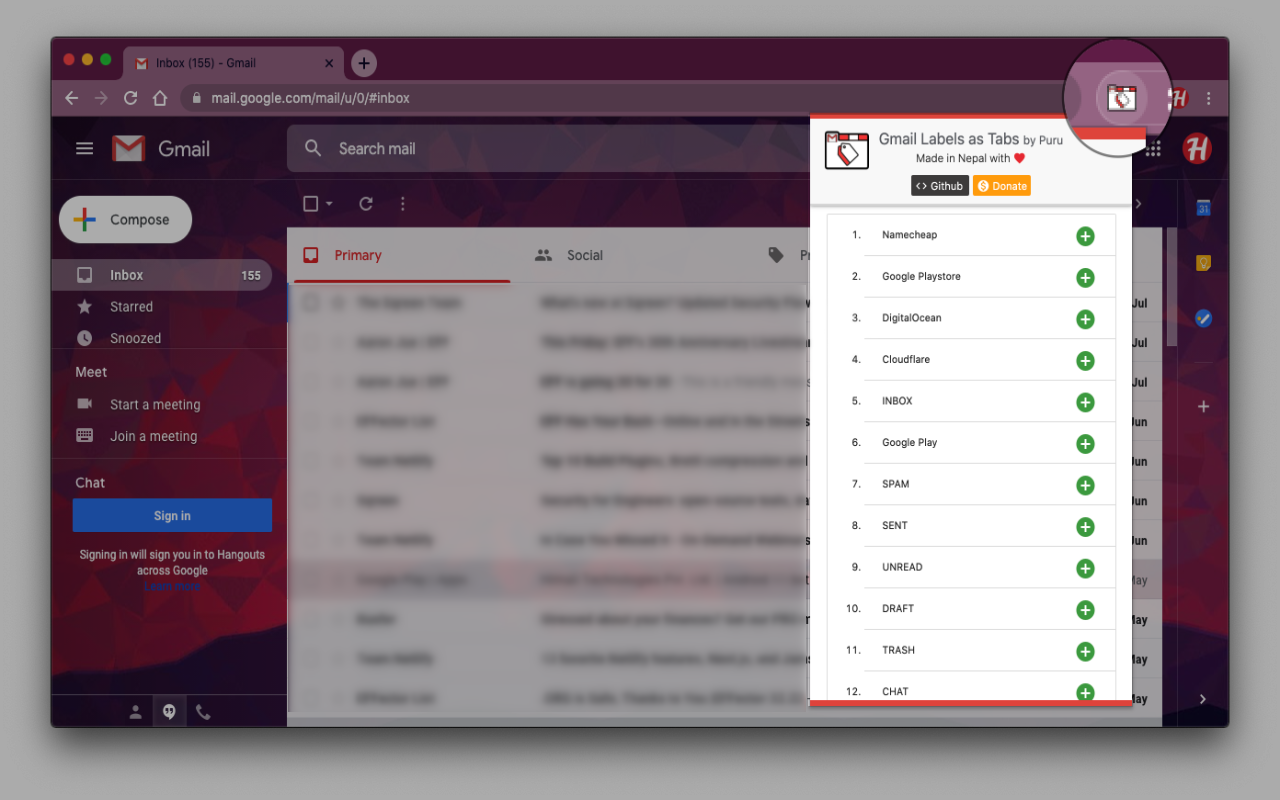
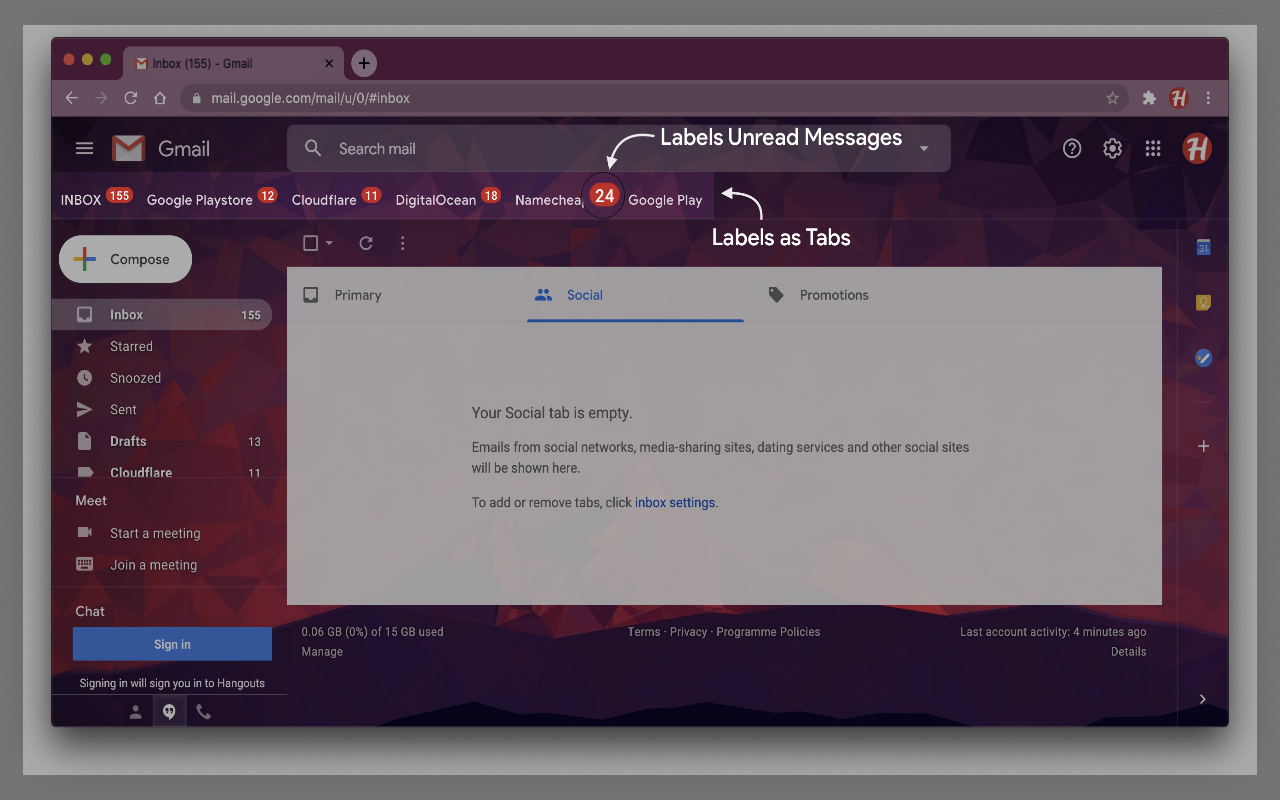
100% open-source project & ads-free — it won’t mine and sell your data!
Any contribution to the project is welcome!
About Author
Hi, 👋 I’m Puru, author of “Gmail Labels as Tabs”. I’m from Nepal, it’s a small country in South Asia with the highest mountains in the world Mt. Everest.
I ❤️ developing productivity software, mostly in my free time for myself, but now I’m taking it step further and open-sourcing so everyone can benefit from it. If you like my work and want to support me, DONATION is accepted! 🙏


